
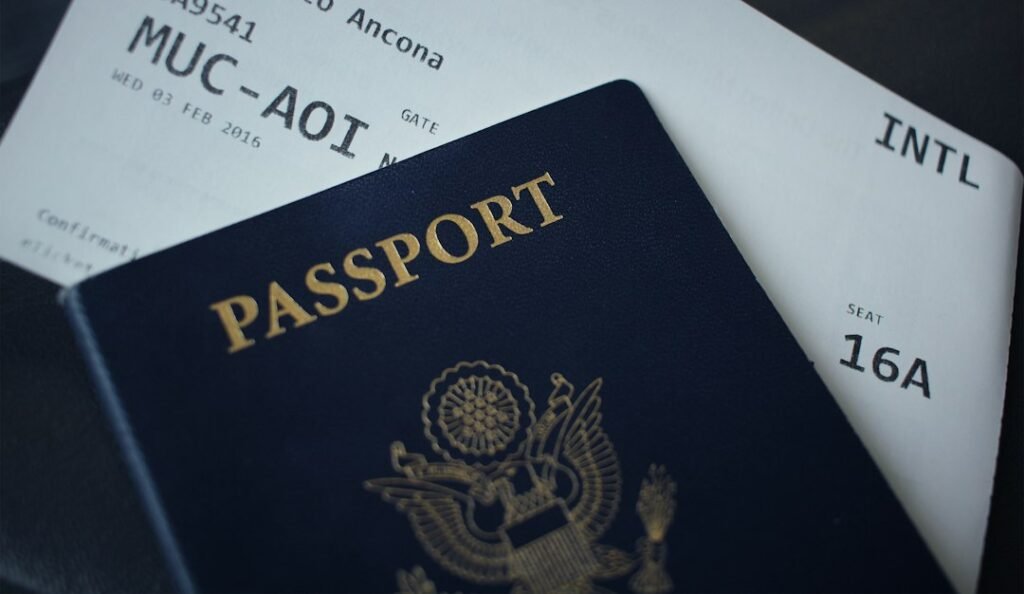
A name mismatch on a flight reservation can look tiny — one missing middle name, two surnames reversed, a hyphen removed — but passenger identity is not an area to “fix” casually. The correct response depends on what is actually wrong, how the passport shows the name, and whether the airline or reservation system can correct the booking.
For visa evidence, the safest standard is simple: the passenger details on the flight reservation should identify the same person as the passport and visa application. Do not edit the PDF yourself to make the names appear to match.
Start with the passport, not your everyday name
People often use names differently in daily life. A passport may show:
- one or more given names;
- a family name or surname;
- hyphenated names;
- compound surnames;
- transliterated characters; or
- a different order from local naming customs.
The passport is the travel document the airline and border systems ultimately use. That makes it the correct starting point for checking a reservation.
What counts as a mismatch?
Common examples include:
- surname misspelled;
- given and family names swapped;
- one given name omitted;
- nickname used instead of passport name;
- married surname used on one document and previous surname on another;
- two travellers’ names accidentally exchanged;
- spacing or hyphen differences; and
- transliteration differences.
These are not all equally serious.
A booking system that removes spaces or hyphens may still represent the correct passenger. A different surname is a much bigger issue.
Why airline reservation systems sometimes display names strangely
Airline and global distribution systems do not always display names exactly like a passport’s printed visual layout.
They may:
- remove spaces;
- remove punctuation;
- combine title and given name;
- truncate long strings;
- use Latin transliteration; or
- display surname first.
So “looks different” is not automatically “wrong.”
What matters is whether the underlying passenger data correctly identifies the traveller according to the carrier’s rules.
What is Advance Passenger Information?
IATA explains that Advance Passenger Information, or API, includes identity information such as full name, date of birth, gender, citizenship and travel-document data. It is typically obtained from machine-readable travel documents such as passports.
This is different from a PNR, which is booking data. The distinction matters because an itinerary can contain a booking name while the airline later collects passport/API data for travel.
You should not use that difference as an excuse to ignore a booking error. Correcting a genuine mismatch early is still the safer option.
Missing middle name: is it always a problem?
No universal rule says every airline requires every middle name to be displayed in the same way.
Airlines have their own name policies. Some systems accept first and last name without every middle name. Others may require more exact matching depending on route or ticketing system.
For visa evidence, if the booking clearly identifies the applicant but omits a middle name, check the airline’s rules before assuming the reservation is unusable.
Do not invent a correction by editing the itinerary PDF.
Swapped first name and surname
This needs closer attention.
Some booking displays intentionally show surname first. For example:
Passport: Given names: BABATUNDE SAMUEL
Surname: ADEDEJI
A reservation may display:
ADEDEJI/BABATUNDE SAMUEL MR
That can be completely normal.
But if the underlying fields were entered as Given name = Adedeji and Surname = Babatunde, that is a genuine data problem even if the printed line superficially resembles the right name.
One-letter spelling error
A one-letter error should be corrected through the airline, booking provider or reservation system whenever possible.
Airlines distinguish between a name correction and a name change. Correcting a typo for the same traveller may be permitted, while transferring a ticket or reservation to a different person may be prohibited.
The exact rules depend on the carrier and fare.
Do not create a second identity problem in the visa form
If the flight reservation has a typo, do not change the visa application name to match the typo.
The visa application should follow the passport and the authority’s form instructions. The reservation is the document that needs correction.
When one supporting document is wrong, the answer is not to make all the other documents wrong in the same way.
What if you notice the error before the visa appointment?
This is the best time to fix it.
- Compare the passport biodata page with the reservation.
- Identify whether it is formatting or a genuine field error.
- Contact the airline or provider that controls the booking.
- Ask for the permitted name-correction process.
- Obtain a newly generated itinerary after the correction.
- Recheck all travellers before submission.
If StepOut prepared your visa-support itinerary, use the support route attached to your reservation rather than editing the document yourself.
What if the appointment is tomorrow?
Urgency does not make document alteration safer.
Contact the booking provider immediately. If the reservation cannot be corrected in time, check whether a legitimate replacement reservation can be created with the correct passenger details.
If neither is possible, follow the visa authority’s instructions rather than submitting a document you know misidentifies the applicant.
What if the error is discovered after submission?
Keep a record of the original document and the correction.
If the authority requests additional documents, provide the corrected version and explain the correction briefly and truthfully. If the change is significant and your application centre provides a formal update channel, use it.
Do not flood the consulate with unsolicited emails unless its procedure tells applicants to do so.
What if the visa itself contains a name error?
That is a different issue. A visa sticker or electronic visa error should be raised with the issuing authority according to its correction procedure.
Do not assume an airline can correct a visa, and do not assume a corrected airline booking solves an error in the visa.
Married name versus previous surname
This situation can involve genuinely different identity documents.
If the passport has already been issued in the married name, use that passport identity for the flight booking unless the airline’s rules say otherwise.
If the passport remains in the previous surname while other civil documents use the married name, the visa application instructions may ask for previous names separately.
The booking should still be compatible with the passport used for travel.
Hyphens, apostrophes and spaces
Reservation systems often strip punctuation.
For example:
- O’CONNOR may display as OCONNOR;
- SMITH-JONES may display as SMITHJONES;
- DE LA CRUZ may be joined or spaced differently.
Do not assume that visual formatting alone requires a rebooking. Check the airline’s policy and whether the reservation can be retrieved with the intended surname.
Long names and truncation
Legacy airline systems can have field-length limits. A long full name may appear shortened on some displays.
If the passport identity was entered correctly but the printed itinerary truncates the display, ask the carrier or booking provider to confirm whether the underlying passenger record is acceptable.
A screenshot of a truncated display is not enough to diagnose the database fields.
What if the reservation is only for a visa?
Identity accuracy still matters.
A visa-support reservation should not be treated as a disposable document where any spelling is “close enough.” The applicant’s name, route and dates should accurately represent the intended traveller and trip.
If you later buy the real ticket, repeat the passport check from the beginning rather than copying a mistake forward.
PNR versus e-ticket number
A PNR or booking reference identifies a reservation record. An e-ticket number identifies an issued ticket.
Qatar Airways, for example, explains that its booking reference is an alphanumeric PNR, while the e-ticket number is a separate 13-digit number.
That distinction matters because a corrected reservation does not automatically mean a paid ticket has been reissued. For a real ticket, the airline may need to update or reissue the ticket as well.
Read What Does a PNR Prove for a Visa Application? for a fuller explanation.
What if two passengers are travelling together?
Check every passenger separately.
Family bookings can be confusing because one PNR may contain several travellers. Make sure:
- each passport maps to the correct passenger;
- titles are appropriate where used;
- dates of birth are correct where collected;
- children are not assigned adult details accidentally; and
- the same traveller is not duplicated while another is missing.
What if your passport has only one name?
Single-name passports require carrier-specific handling because many airline systems expect both given-name and surname fields.
Do not invent a surname without checking the airline’s policy. Some carriers have defined conventions for mononymous travellers.
If this applies to you, contact the airline or provider before ticketing or relying on the booking for visa evidence.
Can a name mismatch cause denied boarding?
A material name mismatch can create boarding problems because airlines must verify that the passenger is the person entitled to use the ticket and has the required travel documents.
Whether a particular difference is accepted is carrier-specific. That is another reason to resolve the issue with the carrier rather than relying on internet anecdotes.
Use the machine-readable zone carefully
The passport’s machine-readable zone can help explain how names are encoded, but ordinary travellers should not try to reverse-engineer airline API rules from it.
IATA notes that API identity data is typically obtained from the machine-readable travel document. If an airline asks you to scan the passport, let its system collect the required fields rather than manually changing data you do not understand.
Checklist before you submit or buy
- Open the passport biodata page.
- Compare surname/family-name field.
- Compare given names.
- Check whether an apparent difference is only formatting.
- Check date of birth if the booking stores it.
- Check passport number if it has already been entered.
- Check nationality.
- Check every passenger in the PNR.
- Correct genuine errors through the controlling airline/provider.
- Regenerate the itinerary after correction.
StepOut’s practical rule
For visa-support flight reservations, StepOut should use the traveller’s passport identity as supplied in the reservation process. If you need an itinerary and are not ready to purchase a real ticket, start with the Flight Reservation Readiness Checker and correct identity issues before payment.
If you are ready to buy the actual airline ticket, use real flight search and enter the passenger names directly from the travel document.
What about titles such as Mr, Mrs, Ms or Dr?
Titles can appear attached to a passenger name in some reservation displays, but they are not the same thing as the passport’s surname or given-name fields. A display such as SMITH/ANNA MS does not mean “MS” has become part of the legal name.
If the title itself is wrong, ask the airline whether it matters for that booking. Do not change the passenger’s legal name merely to compensate for a title field.
What if the airline says the name cannot be corrected?
Some fare rules or carriers limit name corrections after ticketing. The practical options can include cancelling and rebooking, paying a correction/reissue fee, or supplying documentation where the airline has a defined process.
Before paying, ask whether the booking is merely a reservation or already ticketed, whether the change is classed as a typo correction or a passenger change, and what happens to the fare if rebooking is required.
For a visa-support reservation that has not become a paid ticket, creating a new correct reservation can sometimes be cleaner than carrying a known identity error forward. The provider controlling the reservation should make that change.
Why consistency matters beyond the flight document
A visa file can contain the applicant’s name in the application form, passport copy, bank statement, employment letter, insurance certificate, hotel booking and flight itinerary. Small formatting differences are normal across systems, but genuinely different identities are not.
If a document uses an earlier surname, transliteration or spelling, keep the civil or legal evidence that explains the difference where relevant. The objective is not to make every system print the name identically; it is to make clear that every document belongs to the same traveller.
The bottom line
A passenger name is not cosmetic. If the difference is only how the booking system displays spaces, punctuation or order, verify that before overreacting. If the underlying name is genuinely wrong, correct the booking through the airline or provider.
Do not change the passport name to match a typo. Do not edit the itinerary PDF. Fix the source record.